AMC walkthrough: Obsidian and an AI agent
See AMC (Aether Memory Companion) working in a real Obsidian Desktop vault.
Every screenshot and clip on this page was recorded from Obsidian 1.15.1 talking to a real aether-mcp server.
The capture is scripted, so it can be regenerated when the UI changes (node scripts/capture_obsidian_guide.mjs <out_dir>).
For install commands and every setting, start with the Quickstart.
Watch the full demo: Obsidian and Cursor together
This 90 second recording shows both sides at once: Obsidian with AMC on the left and the Cursor Agents window on the right, working on the same vault through aether-mcp.
The agent's replies are real and unedited, so the wording varies between recordings.
It covers the primary use cases in order:
- You write a note in Obsidian and it syncs to
aether-mcpautomatically. - The Cursor agent recalls that note through the
aether_recallMCP tool. - A note marked
aether_tier: privatestays on disk and the agent cannot find it. - The agent proposes a new memory with
aether_stage_memory. - You approve it in the Obsidian Inbox pane.
- The approved memory is now recallable by the agent.
Your own notes sync automatically. Only facts an agent proposes wait for your approval before they become memory.
The steps below show each part in more detail.
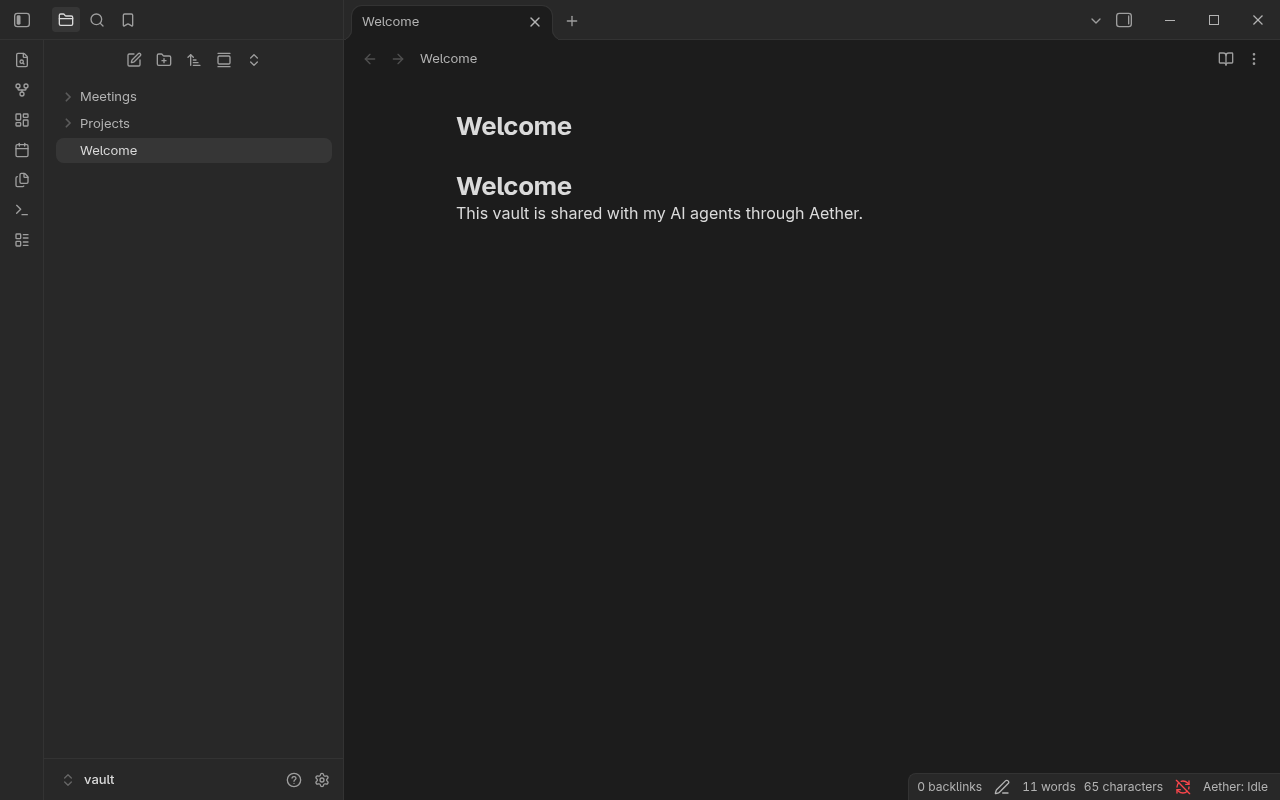
1. Trust the vault and enable the plugin
The first time you open a vault that contains community plugins, Obsidian asks whether you trust its author. Choose Trust author and enable plugins.
2. Connect to aether-mcp
Open Settings, then AMC.
Leave the URL at http://127.0.0.1:14771 for a local server and select Test connection.
A notice reports how many notes the server can see.
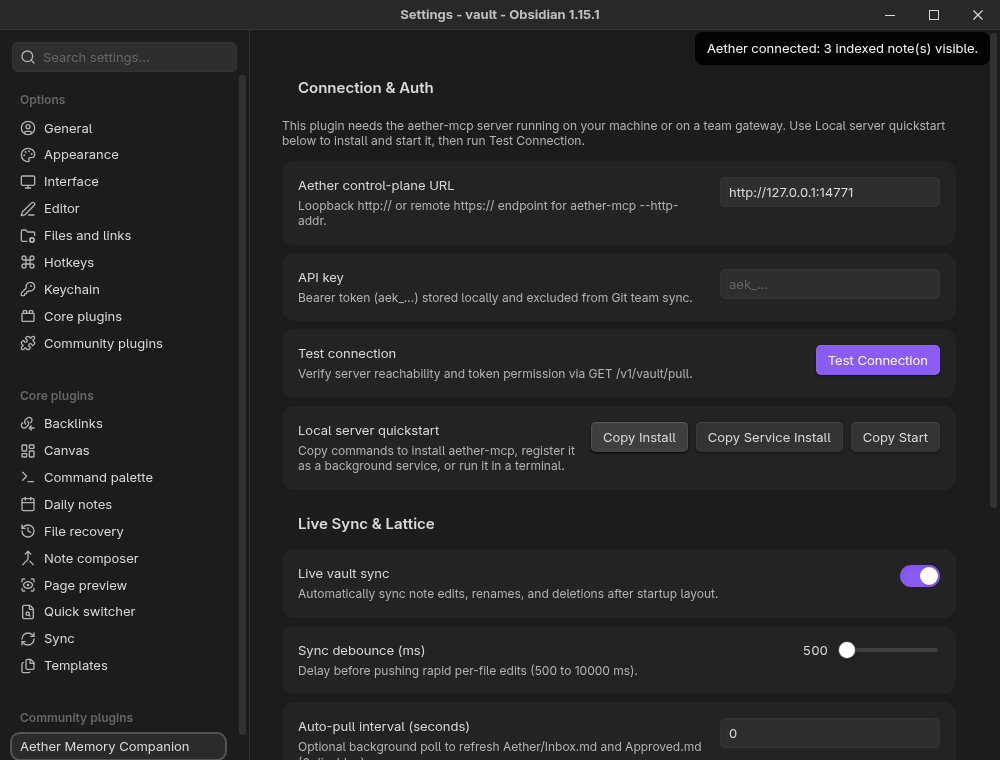
If the notice is an error, start the server first with the Local server quickstart buttons.
3. Sync your vault
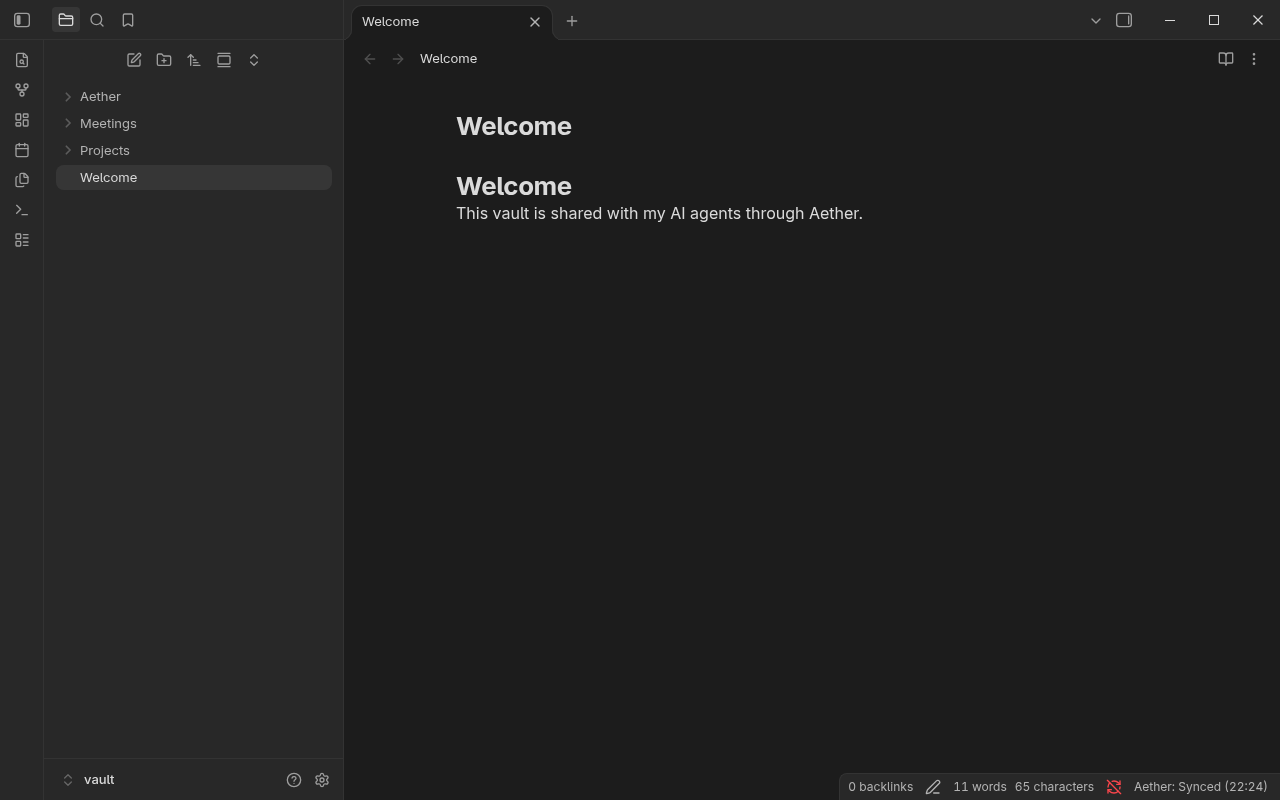
Run Sync vault with Aether from the Command Palette.
The status bar changes from Aether: Idle to Aether: Synced (HH:mm), and a notice reports updated, indexed, removed, and private-skipped counts.
4. Keep a note private
Add aether_tier: private to a note's frontmatter.
The note stays on your disk and the plugin never sends its body to the server.
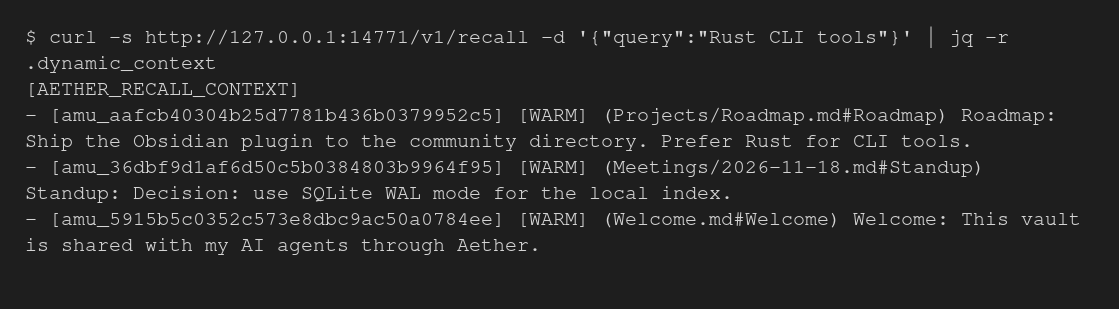
An agent that searches for the note's contents does not find it. The query below looks for a marker that only exists in the private note, and the recall result does not contain it.
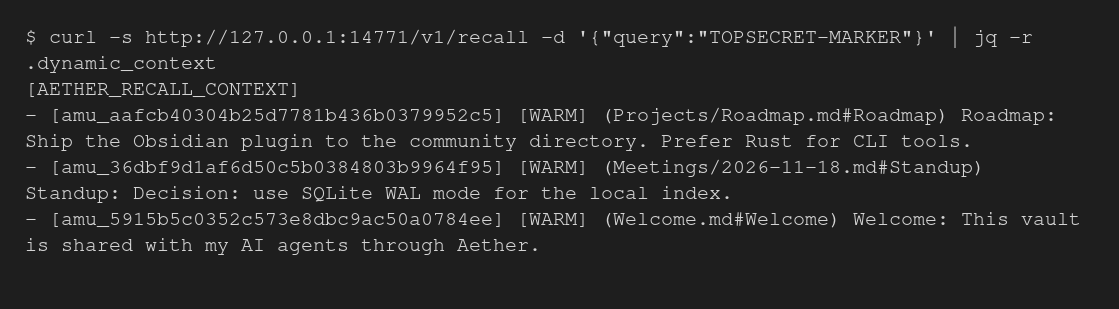
Public notes are recalled normally.
5. Review what your agent wants to remember
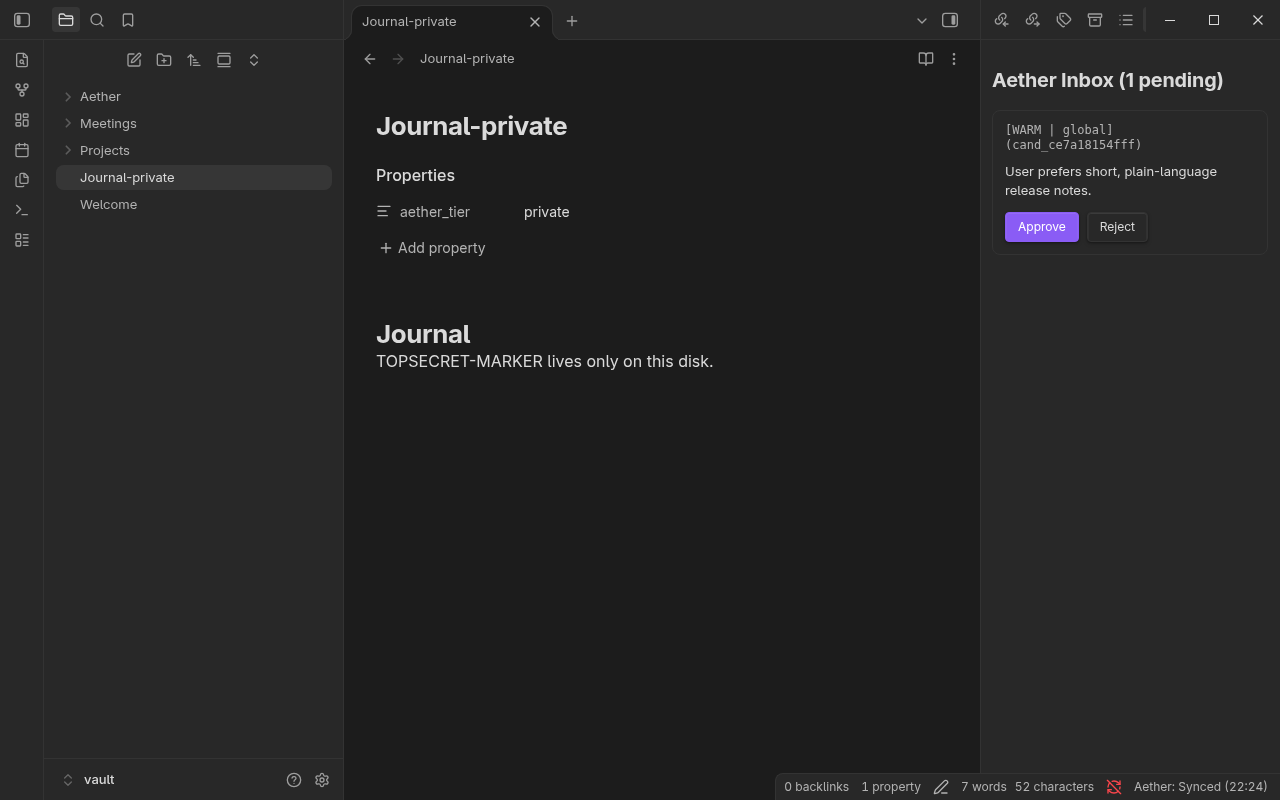
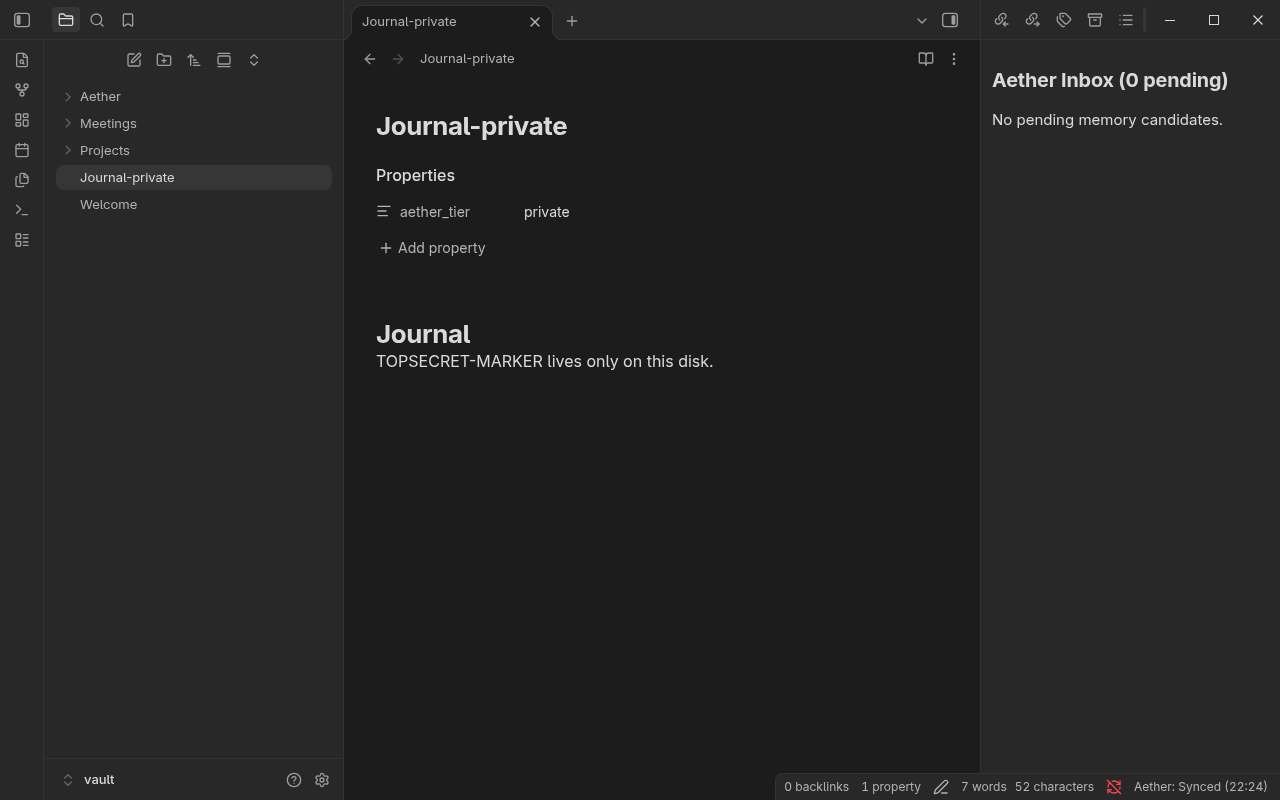
When an agent calls aether_stage_memory, the fact waits in your Inbox until you approve it.
Run Open Aether inbox review and select Approve or Reject.
6. Recover when the server is down
If aether-mcp stops, the status bar shows Aether: Offline and your notes stay untouched.
Start the server again and run the sync command to return to Aether: Synced.
Next steps
- Connect an MCP client such as Claude Desktop in Connect an AI agent.
- Share a vault with a team in Share a vault with a team.